
Contacts - Caller ID & Spam
Eminent IT ServicesCommunication
4.6114.00 Reviews
- Version
- 49
- Installs
- 100.00K
- Age Rating
- Everyone
Screenshots
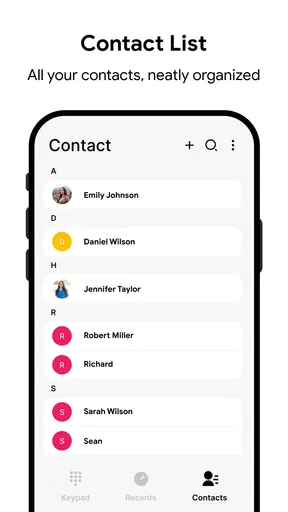
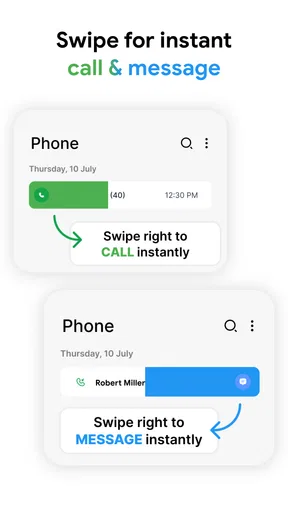
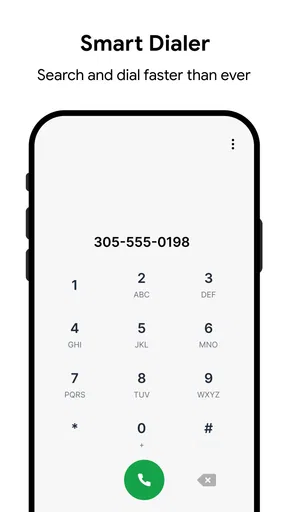
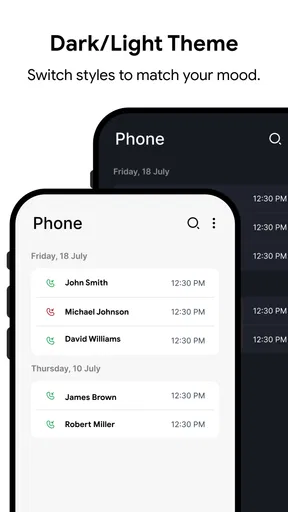
Our Review of Contacts - Caller ID & Spam
 Analysis by Appyee
I approached Contacts - Caller ID & Spam as a practical communication tool rather than another app that promises to reorganize my phone overnight. Its central idea is straightforward: help me recognize callers and handle contact-related tasks around a call. After using it in that role, my view is that it makes the most sense for people who want a more deliberate calling routine, especially when unknown numbers interrupt an already busy day. It is free to install, aimed at everyone, and developed by Eminent IT Services.
What makes it worth considering is not a flashy social layer or an overloaded collection of messaging tools. The appeal is the small amount of context it can add before and after a call. That can be useful when I am deciding whether to answer, returning a call later, or trying to keep my address book from becoming a pile of half-finished entries. The experience is focused, but that focus also means it should not be mistaken for a complete replacement for every communication app on a phone.
How the caller and contact workflow feels in daily use
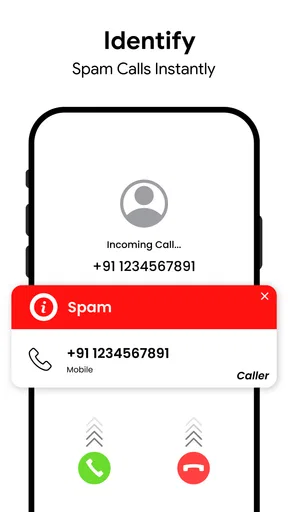
The most convincing part of the app is the way it treats a phone call as more than a moment that begins and ends with the ringing screen. Caller identification is valuable because it gives me a chance to make a quick decision before answering. When I am expecting a delivery, a service call, or a response from someone whose number I have not saved, that extra context can reduce hesitation. When I am not expecting anything, it helps me avoid treating every unfamiliar number as urgent.
That distinction matters. A caller ID tool is not automatically useful just because it displays information. Its real value comes from fitting into the few seconds when I need to choose between answering, ignoring, or checking the number later. Contacts - Caller ID & Spam is built around that moment, then extends the workflow into what happens after the call. In my experience, that makes it easier to think of the app as a call-management companion rather than simply another address book.
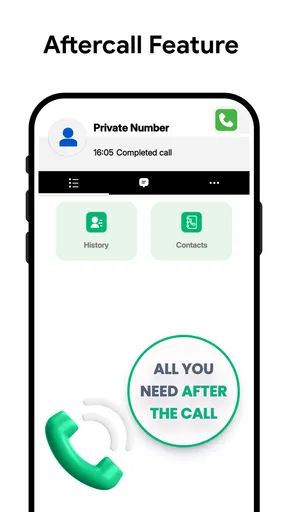
The after-call side is particularly practical for people who receive many calls during work, errands, or family responsibilities. I often find that the difficult part is not answering a call; it is remembering what I need to do once it ends. A caller may need a callback, a contact entry, or a note in my own routine. Having a tool centered on the after-call moment encourages me to deal with that small task immediately instead of relying on memory.
A useful habit is to treat the end of a call as a sorting point. If the number belongs to someone I will contact again, I can turn that interaction into a cleaner contact record. If it was irrelevant, I can move on without allowing it to occupy mental space. This is a less obvious strength because it is about behavior, not a headline feature: the app can help reduce the gap between receiving information and organizing it.
Where it differs from the standard phone app
The ordinary phone application is usually enough for saving a number, checking recent calls, and making a call. Its weakness is that it tends to leave the user with a basic list and little guidance around the decision-making process. Contacts - Caller ID & Spam takes a more intentional approach to caller awareness and post-call handling. That makes it more useful when unknown callers are a regular nuisance or when the call history is part of a busy workflow.
It is not automatically better for everyone. If I make only a few calls, already keep an orderly address book, and rarely receive unfamiliar numbers, the default phone app may be faster because it requires no change in routine. The dedicated app earns its place when the surrounding friction is the problem: identifying a call, deciding what deserves attention, and remembering to clean up contact information afterward.
It also occupies a different space from messaging platforms. A chat service is usually strongest when both people are already connected inside that service. This app is relevant before that relationship exists, because it deals with the phone number itself. That is useful for practical calls from businesses, services, acquaintances, and other people who may never share the same messaging platform.
Compared with a traditional contacts manager, its emphasis is more immediate. A contacts manager is designed for deliberate editing and browsing, while this app is tied to the live rhythm of incoming and recent calls. I would choose the former for a long cleanup session and the latter for reducing uncertainty around calls as they happen. The two approaches can work together rather than compete.
Three workflows that make it more useful than a basic contact list
My first recommended workflow is a “decide now, organize later” routine. When an unfamiliar number appears, I can use the caller information to make a quick answer-or-ignore decision. If I answer, I do not need to interrupt the conversation to fully rebuild my contacts. I can use the after-call moment to decide whether the number deserves a proper entry. This keeps the call itself focused and prevents rushed contact editing.
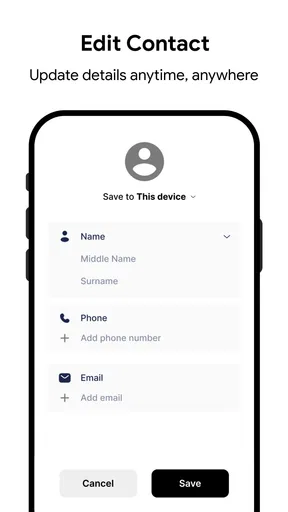
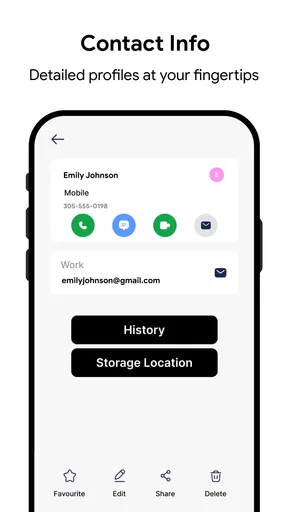
The second is useful for people who receive repeated calls from different numbers connected to the same real-world task. For example, a repair appointment or delivery process may involve more than one person. Instead of saving every number immediately with vague labels, I can first establish which callers are actually worth retaining. This avoids a common address-book problem: several poorly named entries that are impossible to recognize months later.
The third is a weekly review of recent calls. Rather than opening the call history only when I need to return a call, I can use it as a short maintenance queue. I look for numbers that need a contact name, calls that no longer matter, and interactions that require follow-up. This turns a passive history into a simple personal system. It is especially helpful for anyone who uses a phone for appointments, freelance work, home services, or community activities.
These workflows reveal an important trade-off. The app can improve consistency only if I actually use the moments around calls to make decisions. It cannot replace judgment about whether a caller is trustworthy, whether a number belongs in my contacts, or whether a follow-up is genuinely necessary. Its contribution is structure, not automatic responsibility.
What I would check before relying on it
The app requires a recent enough device: it supports operating systems from version twelve onward. That is a reasonable fit for many current Android and iOS users, but it is still worth checking before planning a switch on an older phone. Compatibility is the first practical question because a caller tool is only useful if it can remain part of the normal calling experience.
I would also spend time reviewing how the app fits my personal comfort level around contact and call information. Any tool involved in caller recognition and contact management deserves a careful look at its on-device prompts and settings during setup. I would not rush through those screens simply to reach the main interface. A few minutes spent understanding the choices can prevent surprises later, particularly on a phone shared with work or family responsibilities.
The app is free, which lowers the barrier to trying it. There are also in-app purchases priced at four dollars and ninety-nine cents per item. I would treat those as optional decisions rather than part of the basic reason to install it. Before paying for anything, I would use the free experience long enough to decide whether caller context and after-call organization genuinely improve my routine.
Its public reception is encouraging: it holds a 4.7 average from around 2.3 thousand ratings, with over 100 thousand installs. Those figures suggest that the concept is reaching a meaningful audience and that many users find value in it. They do not remove the need for personal testing, though, because the usefulness of caller management depends heavily on how often unfamiliar calls arrive and how disciplined someone is about maintaining contacts.
The limitation that matters most
The biggest weakness is that the app’s usefulness depends on a change in habit. Caller identification can help at the front of a call, but the after-call benefits appear only when I take a moment to act on what happened. Someone looking for a completely automatic solution may find that disappointing. The app can bring attention to a task, but I still have to decide what the task is and complete it.
There is also a natural risk of overvaluing caller information. A recognizable label can make an incoming call feel more trustworthy than it really is, while an unfamiliar number is not automatically harmful. I would use the identification as one clue, not as proof of a caller’s intentions. That is an important limitation of the whole category, and it applies even when the interface feels confident.
Another point of friction is focus. People who want a minimal phone setup may regard a separate communication app as unnecessary duplication. If the built-in phone and contacts tools already cover their needs, adding another layer can make the routine feel more complicated instead of simpler. In that situation, the best choice may be to keep the default tools and adopt a manual weekly contact review.
I would also avoid expecting it to solve every form of unwanted communication. Its value is centered on calls and contact handling, not on becoming a universal replacement for messaging, email, or broader digital safety habits. If most of my interruptions arrive through chat apps or email, a caller-focused tool will address only a small part of the problem.
Who should install it, and who should skip it
I think it is a strong fit for people who frequently receive calls from numbers they do not recognize. That includes anyone waiting for appointments, managing household services, coordinating deliveries, or handling occasional work calls from new contacts. The app is also appealing to users whose contact lists become disorganized because they postpone saving numbers until later.
It may suit older relatives or less technical family members if the caller information and after-call approach feel clearer to them than managing a large recent-call list alone. I would still introduce it gradually, explaining that identification is helpful context rather than a guarantee. The best results come when the person understands the small decisions the app supports instead of assuming it will make all decisions for them.
Small-business owners, independent workers, and people who schedule appointments by phone can also get practical value from the after-call workflow. A missed follow-up can cost more than a few seconds of organization, and a cleaner contact list makes repeat conversations easier. I would recommend testing it during a particularly busy week, because that is when the difference between a plain call log and a more deliberate workflow becomes easiest to judge.
I would skip it if I almost never answer phone calls, already use a carefully maintained address book, or strongly prefer keeping communication tools to the bare minimum. I would also look elsewhere if my main concern is messaging rather than calls. In those cases, a messaging service or the phone’s own contact tools may be a better match and involve less adjustment.
My verdict after weighing the convenience against the friction
Contacts - Caller ID & Spam succeeds because it addresses two connected problems: uncertainty before answering and unfinished organization after hanging up. I like that its purpose is easy to understand, and I find the after-call angle more valuable than a simple promise to identify numbers. It encourages a practical sequence: recognize the situation, handle the conversation, then decide what deserves a place in my contacts.
The app is not a magic filter for every unwanted call, and it should not replace common sense. Its benefits are strongest when I receive enough unfamiliar calls to justify a dedicated workflow and when I am willing to spend a short moment maintaining the results. Without that habit, it risks becoming another icon beside tools that already do most of the same basic work.
For me, the clearest recommendation is conditional but positive: try it if phone calls create uncertainty or leave behind too much contact clutter. The free entry point makes that test straightforward, while the Everyone age rating keeps it approachable for a broad audience. With its current version at thirty-eight and support for operating systems from version twelve, it is positioned as a focused, modern option rather than an all-purpose communication suite.
My final judgment is that Contacts - Caller ID & Spam is best for people who want more control around calls, not people searching for a complete replacement for their phone. Eminent IT Services has kept the idea focused on a real everyday annoyance, and that focus is its main strength. If I were recommending it to a friend, I would say to install it, test it during a busy calling period, and pay close attention to whether the after-call routine actually saves time. If it does, the app earns its place; if not, the default phone tools are probably enough.
Verdict
Strengths of Contacts - Caller ID & Spam
- Identifies many unknown callers before you answer.
- Spam alerts help filter suspected scam and telemarketing calls.
- Quick search makes finding saved contacts simple.
- Clean interface is easy to navigate for most users.
- Useful caller details can appear during incoming calls.
Limitations of Contacts - Caller ID & Spam
- Caller information may be incomplete or inaccurate.
- Some features may require a subscription or in-app purchases.
- The app needs access to contacts and call-related permissions.
- Spam detection can occasionally block legitimate callers.
- Background operation may have a minor effect on battery life.
Similar Picks in This Category
View All
Google Messages
Google LLC4.6

Gmail
Google LLC4.1

Google Meet
Google LLC4.4

Google Chrome
Google LLC4.1

WhatsApp Messenger
WhatsApp LLC4.6

Carrier Services
Google LLC4.2
Frequently Asked Questions
What is Contacts - Caller ID & Spam used for?
Contacts - Caller ID & Spam is designed to help you manage your address book while identifying unknown callers and warning you about possible spam or fraudulent numbers. Depending on the device and available features, it may organize contacts, display caller information, block unwanted calls, and provide tools for handling suspicious messages or calls more efficiently.
Does Contacts - Caller ID & Spam require access to my contacts and phone calls?
Yes, several of its main functions normally require permissions such as access to contacts, phone status, call history, and sometimes SMS or notification data. These permissions allow the app to identify callers and manage your address book. Before installing, review the requested permissions and your local privacy settings, and disable any access you do not consider necessary.
Can the app block every spam or scam call automatically?
The app can help detect and block many unwanted calls, but no caller identification service can guarantee perfect protection. Spam databases may be incomplete, new scam numbers can appear quickly, and legitimate businesses may occasionally be flagged incorrectly. It is best to review blocked-call settings regularly and avoid answering or returning calls that appear suspicious.
Is Contacts - Caller ID & Spam free to download and use?
The application may be available as a free download, although some functions can depend on the version installed, your region, or optional premium services. Extra features may include advanced spam protection, expanded caller information, fewer advertisements, or additional contact tools. Check the Google Play Store or App Store listing for current pricing, subscriptions, and in-app purchase details.
What should I consider before downloading the app?
Before downloading Contacts - Caller ID & Spam, check whether it is compatible with your Android or iOS version and whether your device has enough storage. You should also read its privacy policy, especially how contact information and call data are processed. If you already use built-in caller protection or another dialer, compare features to avoid duplicated permissions or services.
